
Make discovery personal
A product photo shows the item. A visual preview helps a shopper explore how it might look on them. It is a style aid; sizing and fit still come from your specifications.
For manufacturers & brands
Help people discover your products, see themselves wearing them, and continue to the place you choose to buy.
Free pre-launch catalog participation. Catalog submission and approved pre-launch catalog representation are free. Optional services and AI-preview allowances are separate and would be agreed before activation.
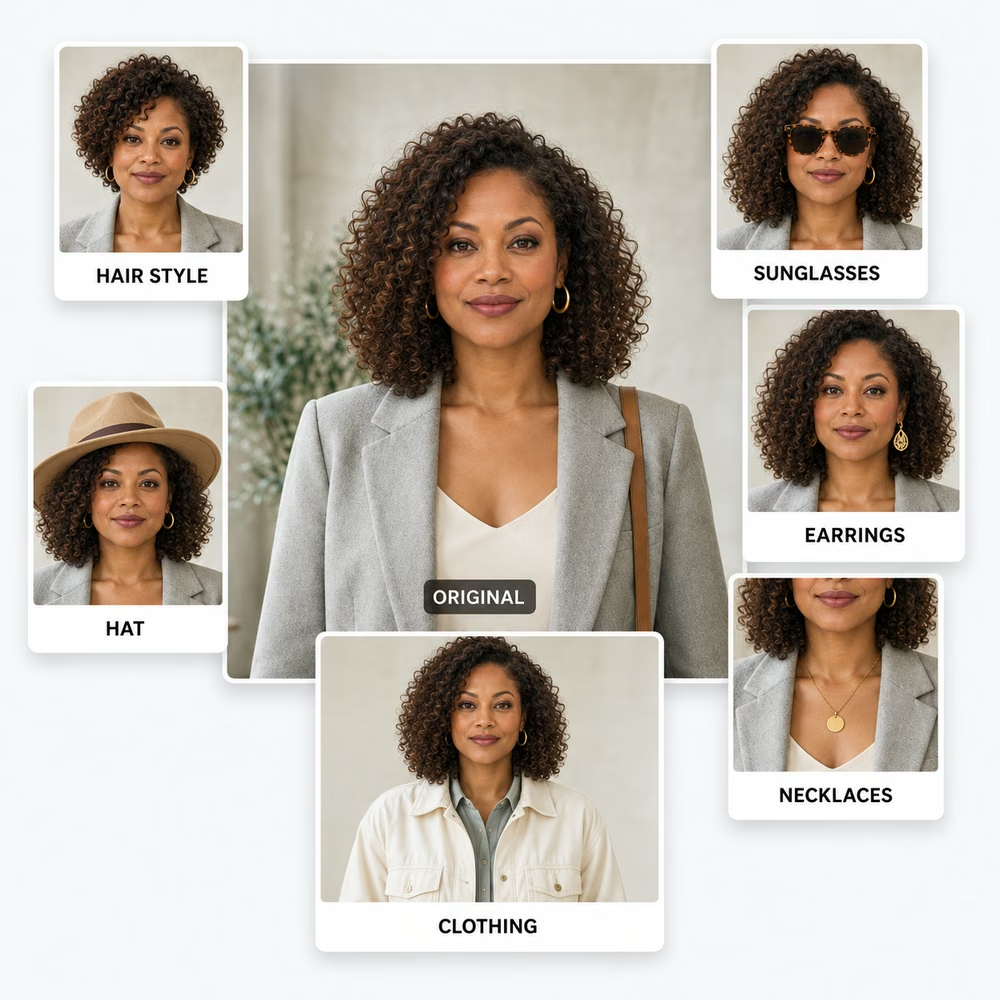
Why participate
The public product menu lets shoppers explore approved listings and continue to buying options. Try-on currently opens through an invited Capture Workspace. Your product information and chosen buying destination keep that journey connected to you.
A product photo shows the item. A visual preview helps a shopper explore how it might look on them. It is a style aid; sizing and fit still come from your specifications.
Request a product page, authorized retailer, dealer locator, Amazon listing or Amazon Search destination. A lookup should carry the original product and variant information forward.
Approved source imagery and product details can support boutiques, thrift and resale stores, salons, outfitters and other sellers. Each experience can serve more than one kind of business.
How it works
Start with 10–20 products and a view-only catalog link. Include product names, SKUs, variants, clear images, dimensions and availability.
Confirm which product and brand details may be represented, which images may support visual previews, and which destinations you want customers to reach. These are separate choices.
Product records stay private until their details and permitted uses are approved. Invited business managers can import a CSV or add individual records. Sending a catalog does not publish it automatically.
Approved listings enter the product menu. Shoppers can explore an item, use an available preview experience, and continue to its buying destination. Confirm the exact destination and variants for each item.
Your choice
Catalog representation and referral routing are separate choices. An inquiry starts a review; it does not publish a brand, activate a destination or create a partnership.
Discuss approved product records, brand representation and images for a try-on menu. Image use and destination routing are confirmed separately before publication.
Prefer no catalog listing or brand filter? Request a chosen destination for a customer who specifically asks about your product. This needs explicit, limited permission to associate the relevant name or identifier with that URL.
Request no catalog representation and no manufacturer-arranged routing. You can also contact us to change or withdraw an earlier preference. Independent customer searches and outside search-engine results are separate.
What to send
Send a link to your existing catalog or feed. Tell us which products, images and destinations you want reviewed. We can agree the scope before anything is made available to shoppers.
Product names, brand, SKU or GTIN, category, colors, sizes, clear images, dimensions, availability and the correct destination for each item. CSV files can be imported by an invited business manager. PDFs, image collections and store feeds can be shared for review; they are not imported automatically.
Provide the product page, authorized seller, dealer locator, Amazon listing or Amazon Search terms you want reviewed. Tell us about regional or retailer restrictions so the proposed route can be checked before it is enabled.