
Getting started
Browse approved products and available variants first. If a preview asks you to sign in, use your invited account or ask the business helping you for access. The business Workspace does not offer public signup.
For users · Shoppers & customers
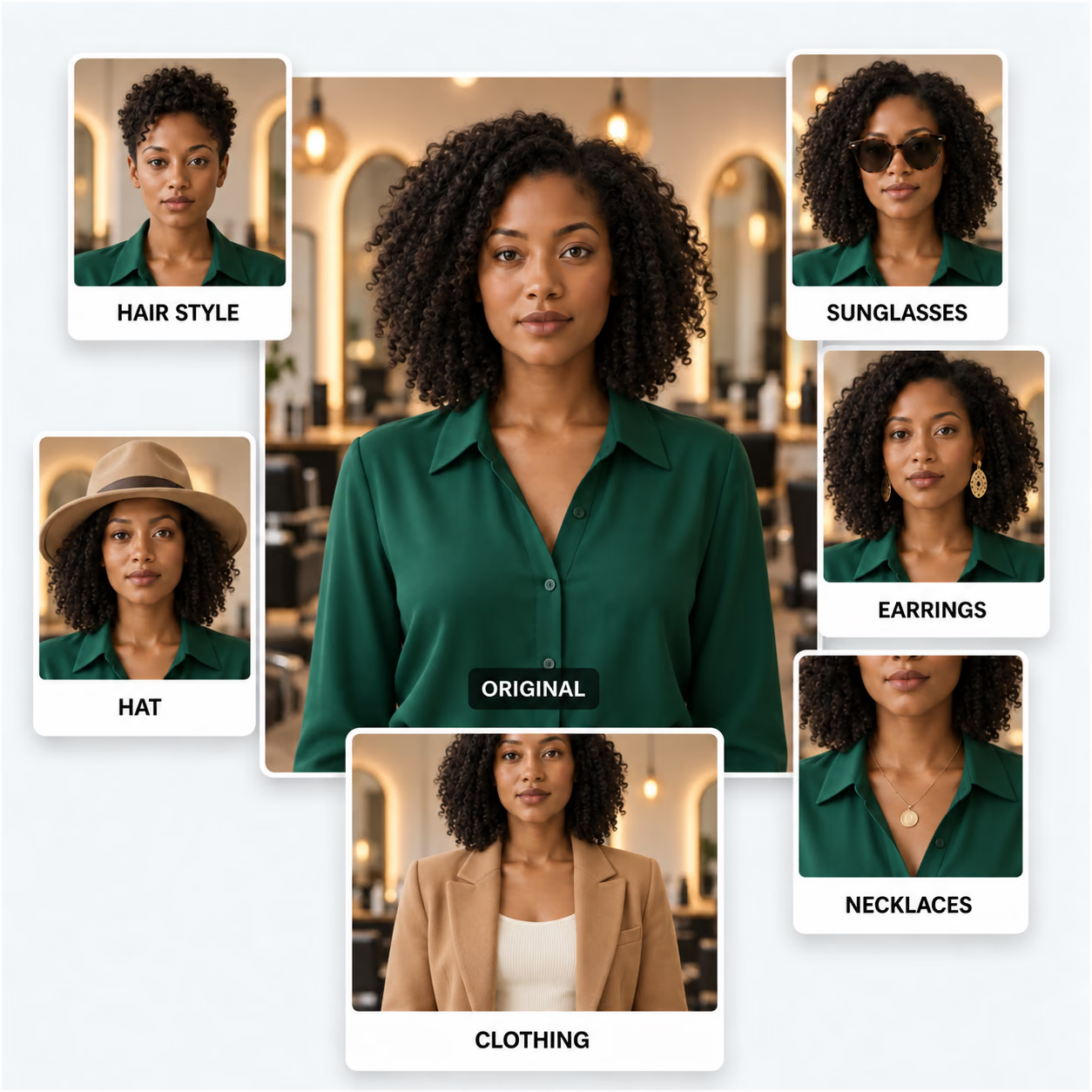
Explore what something might look like on you, learn how to get a useful preview, and find the product or business behind it.
You can browse the public product menu without an account. Try-on tools currently require invited Workspace access, or a valid customer session provided by a participating business.
What matters to you
Browse approved products and available variants first. If a preview asks you to sign in, use your invited account or ask the business helping you for access. The business Workspace does not offer public signup.
Use a clear photo with even lighting and the relevant area visible: your ears for earrings, your neckline for necklaces, or your outfit for clothing. Use only a photo you have permission to upload.
A preview helps you explore a style. It does not measure fit or guarantee exact color, scale or appearance. Compare it with the product details and confirm sizing, availability and suitability with the seller.
Creating a preview sends the photo for AI processing. The current preview flow does not save your uploaded photo or generated result in CMEINIT’s business database. Read the privacy page for provider processing and device storage details.
Use a product’s buying link or Look this up when available. Confirm the item, variant, price and seller before buying. A similar search result is not a verified match; purchases happen at the destination you open.
Download a result you want to keep using the tool’s Save control. My Captures is stored in this browser and can disappear if browser data is cleared. If something goes wrong, start with the tips or send us your question.
User support
Tell us which tool you used and what happened. Please leave passwords and private customer information out of your message.